
+ 50 Free Spins
Plus $22 AUD no deposit bonus

Nelspin Casino Mobile App: How to Play on Your Phone
The Nelspin Casino mobile app experience runs through your phone’s browser, so you can play on iOS and Android without downloading software. Open the mobile site, sign in, and use the same account dashboard, games, sportsbook and cashier available on desktop.
Most Played Games

Immortal Ways Volcano
rubyplay

Benny the Beer
hacksaw
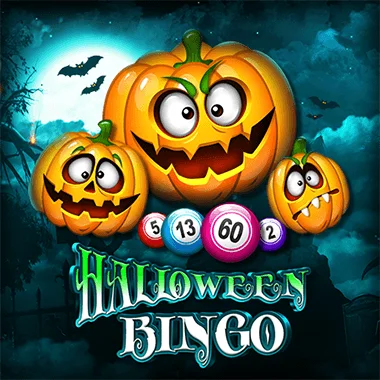
Halloween Bingo
belatra

Mammoth Tundra
booming

Burning Hell 3000
endorphina

Asian Palace
amusnet
How the Nelspin Casino mobile app experience works without a download
Nelspin Casino provides a browser-based mobile service rather than a separate app download. You use Safari, Chrome or another mobile browser on your phone, open the casino, and access your account from there. The service supports both iOS and Android devices.
In this review
That keeps things fairly simple. There is no installation step, no app update to manage and no extra mobile account to create. Your desktop and phone use the same account dashboard, so your account activity, promotional details and transaction records stay together.
For players searching for Nelspin Casino from Australia, the useful point is the direct mobile access: you can move between casino games, the sportsbook, your account area and the cashier from a mobile browser. The account currency is AUD, so your balance is held in Australian dollars.
What you can do from the mobile browser
The mobile service gives you access to the complete game catalogue, not just a reduced selection. There are 2,500 titles across pokies, live casino, table games, video poker, bingo, virtual sports, scratch cards, jackpot games, crash games, sports betting and eSports betting.
You can also open live formats from your phone, including live baccarat, live blackjack, live roulette and live dice games. Familiar titles such as Starburst, Book of Dead, Sweet Bonanza, Lightning Roulette, Crazy Time, Gates of Olympus and Starlight Princess are among the games available.
- Browse the full casino catalogue on an iOS or Android phone.
- Play pokies, table games, live casino and other supported formats.
- Open the sportsbook and eSports betting areas from mobile.
- Use the account dashboard to manage your profile and account settings.
- Open the cashier for deposits and other account transactions.
- Contact 24/7 live chat support without leaving your phone.
The mobile layout is useful when you want a shorter session away from your computer. Still, the same sensible habits apply. Check your balance before playing, choose a limit that suits your budget and remember that casino play involves real financial risk.
| Mobile feature | What you can use | Device support |
|---|---|---|
| Casino | Complete catalogue of 2,500 games | iOS and Android browsers |
| Live casino | Baccarat, blackjack, roulette, dice and other live formats | iOS and Android browsers |
| Account area | Profile, promotions and account activity | iOS and Android browsers |
| Cashier | Deposits and account transactions | iOS and Android browsers |
| Support | 24/7 live chat | Mobile browser |
How to start playing on your phone
Getting started on mobile follows the normal account process, with one extra convenience: you can do it directly from your phone. You need to be at least 18 years old, and phone verification is completed with an SMS code during registration.
Use your phone’s browser to open the Nelspin Casino service. You do not need to download an app or install a separate programme.
New players enter the requested account details, choose account credentials and confirm the required declarations. Existing players use their registered account identifier and password.
Choose AUD during account setup so your account balance is held in Australian dollars.
Finish the customer profile information and verify your phone number with the SMS code.
Once the account is ready, use the mobile dashboard to access the casino, sportsbook or cashier.
Choose a password between 8 and 16 characters. It must contain uppercase and lowercase letters, a number and a special character. It also cannot include your first name, last name, username, nickname or email address.
Mobile payments, offers and account tools
The cashier is available through the mobile browser, with AUD used as the account currency. Payment choices include Visa, Mastercard and Bank Transfer, along with Skrill, Neteller, EcoPayz and Trustly. You can also use Paysafecard, Zimpler, Interac and Giropay, plus Bitcoin, Ethereum and Litecoin.
If you are checking the Bonuses area from your phone, the welcome offer is a 100% match up to $500 on the first deposit, with 50 free spins. The minimum deposit is $20 and the offer has a 30× wagering requirement. A $22 no deposit bonus can be activated from the casino account, with a maximum cashout of $22.
You may also see Daily Free Spins for eligible players and a Monthly Prize Draw with scheduled rewards. The VIP programme has Silver, Gold and Platinum levels. Silver offers entry-level benefits and personalised bonuses, Gold includes higher withdrawal limits and priority support, while Platinum provides a dedicated account manager and top-tier rewards.
- Use AUD as your account currency.
- Choose from cards, transfers, e-wallets, prepaid methods and selected cryptocurrencies.
- Check the offer terms before activating a promotion on mobile.
- A Promo Code should only be entered where the account or promotion instructions request one.
- Keep your phone connection stable during payments and live games.
The mobile cashier is convenient, but it is still worth pausing before confirming a transaction. Check the selected payment method, amount and account details on screen. For the No Deposit Bonus, remember that the maximum cashout is $22.
| Offer or feature | Term | Mobile action |
|---|---|---|
| First-deposit match | 100% up to $500 | Review the offer before making the qualifying deposit |
| Free spins | 50 on the first deposit | Check the promotion details in your account |
| Minimum deposit | $20 | Confirm the amount in the mobile cashier |
| Wagering requirement | 30× | Track the promotion before requesting a cashout |
| No deposit offer | $22 maximum cashout | Activate it in the casino account |
Mobile support, security and safer play controls
Help is available through live chat 24 hours a day, 7 days a week. Support is offered in English, German, French, Spanish, Italian and Chinese, which is handy if you need assistance while using the mobile cashier or account area.
Nelspin Casino applies industry-standard encryption to personal and financial data. Age verification is carried out during registration, and KYC review may apply before transactions or account updates. When identity checks are required, the requested documents include a government-issued identity document, proof of residential address and payment-method information.
You can also manage your play from the account area. Available controls include daily, weekly and monthly deposit limits, configurable loss limits, wagering limits and session time limits. Session tools can provide reminders or automatic logouts after a set period.
- Set a deposit limit before you start playing.
- Use a loss limit to cap the amount you are comfortable losing within a chosen timeframe.
- Apply a wagering limit if you want to control the total amount bet.
- Turn on session reminders or automatic logout options.
- Take a cooling-off period when you want a break.
- Use temporary or permanent self-exclusion if you need to stop access.
A smaller screen can make it easy to tap quickly, especially in fast games. Take a moment to check the stake before confirming each play. If you notice that gambling is becoming difficult to control, use the cooling-off or self-exclusion tools rather than trying to win losses back.
Mobile App: your questions
Does Nelspin Casino have a mobile app to download?
The mobile service is browser-based for iOS and Android, so you can access the games, account dashboard, sportsbook and cashier without downloading an app.
Can I use the full game catalogue on my phone?
Yes. The mobile service provides access to the complete catalogue of 2,500 titles, including pokies, live casino, table games, crash games, sports betting and eSports betting.
Can I play live casino games on mobile?
Yes. Mobile access includes live baccarat, live blackjack, live roulette, live dice games and other live formats.
Can I use the cashier from my phone?
Yes. The cashier is accessible through the mobile browser. Payment methods include cards, bank transfer, e-wallets, prepaid options and Bitcoin, Ethereum and Litecoin.
Is the mobile account the same as the desktop account?
Yes. The same account dashboard is used across mobile and desktop, with one account keeping your promotional activity and transaction records together.
What currency can I use on mobile?
The account currency is AUD, so your mobile balance is held in Australian dollars.
How old do I need to be to play on mobile?
You must be at least 18 years old. Age verification is applied during registration.
Can I contact support from my phone?
Yes. Live chat support operates 24 hours a day, 7 days a week. Support is available in English, German, French, Spanish, Italian and Chinese.